
It’s just a Disney vacation. How hard can it really be? Well, as it turns out…it can get pretty difficult. But, it doesn’t have to be.
Your day is going to be filled with excitement, crowds, and maybe a stroller or two. So, while keeping everyone’s tickets together seems like a simple task now. One small slip up and suddenly someone is left without a way to get in the Parks, use a Lightning Lane, or get into their hotel room.
That’s why I love MagicBands. They take a simple task, like holding onto your ticket, and make it even easier by placing it on your wrist. They’ve eliminated the need to dig through your backpack, purse, or diaper bag multiple times per day.
MagicBands are not required to visit Walt Disney World. But, they really do make your life a lot easier. And here’s how…
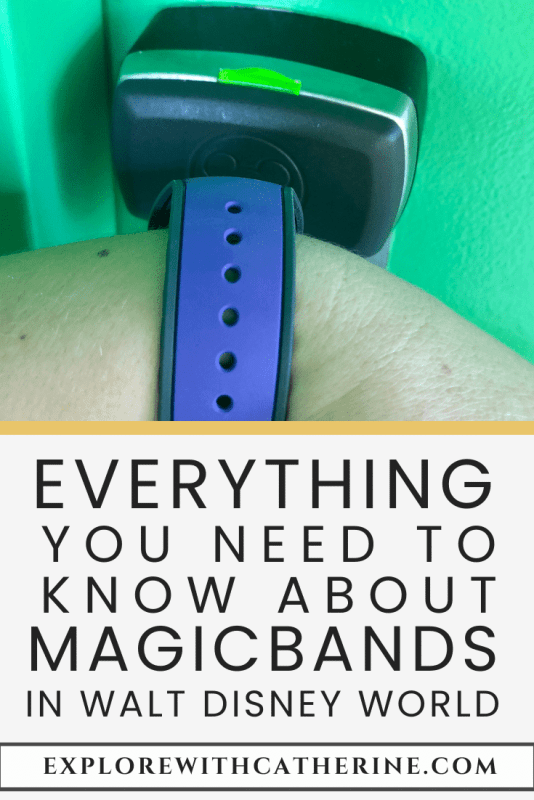
What is a MagicBand?
MagicBands are powerful tools in Walt Disney World (and now Disneyland). If there’s something you need to do, there’s a good chance that your MagicBand can perform the task.
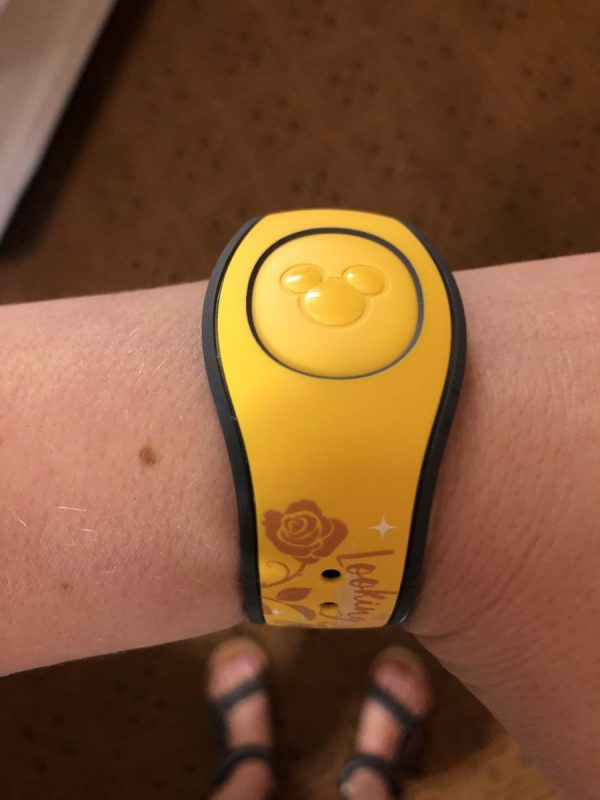
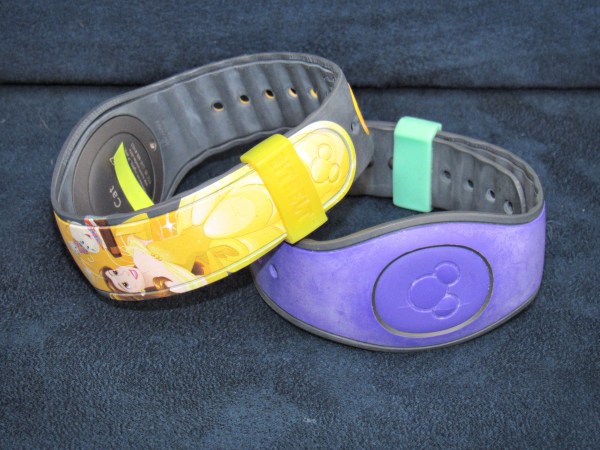
They come in different colors and characters. And just like Mickey ears, you can get MagicBands for specific occasions, holidays, and more. So, they’re not just practical, they’re also a cool accessory.
All MagicBands allow you to:
- Unlock your Disney Resort Door
- Enter the Theme Parks and Water Parks
- Enter Lightning Lane queues
- Have PhotoPass photos automatically added to your account
- Pay for meals using Disney Dining Plan credits
- Make charges without needing to pull out your credit card
- Experience some special surprises
MagicBand+ (Disney’s newest version) can do everything listed above, but they can also:
- Interact with items throughout Walt Disney World
- Engage with character statues that speak or play music
- Play the Batuu Bounty Hunters game in Star Wars: Galaxy’s Edge
- Sync up with nighttime shows for a light-up experience
- Be charged with its included charger
How do MagicBands work?
Here’s the best part…most actions just require you to tap your MagicBand. However, if you’re looking to set off a character statue to do something special, all you need to do is wave your hand.
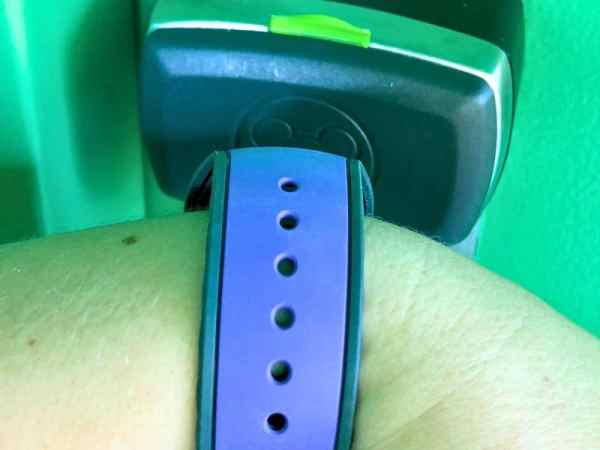
In any case, you’ll know when your MagicBand is working correctly. Each time you tap your MagicBand or wave your hand, you’ll see a light and/or hear a noise indicating that whatever you wanted to do worked.
In the photo above, the green light told me that I was at the correct hotel room, and my door was unlocked. The same is true if you’re trying to enter the Parks. The touchpoint will turn green, meaning you’re ready to go inside the Theme Parks.
If your MagicBand doesn’t work the first time, most times, you just need to try again. But, if you continue to have problems, there’s always a Cast Member nearby to help you out.
Are MagicBands Secure?
With MagicBands being so easy to use, obviously you want to make sure your information is going to be safe. Luckily, there’s safety features in place to make sure no one else can use your MagicBand.
Making Purchases
While you’re not going to need a PIN to do some things, like interact with character statues or play games, you will need to know your PIN to do things that involves money. So, if you plan to redeem Dining Plan credits or buy merch with your MagicBand, make sure your PIN is set up before heading to the Parks.
You set the PIN, so it’s not something you’ll have to go scrambling to find. But, you will be using it a lot. So, make sure it’s something you’ll remember.
If you have a younger kid who likes to go tap-crazy, you can also disable certain MagicBands from being able to make purchases. Or you can just make sure they don’t know what your PIN is.
Just keep in mind that in order to charge merchandise and food, you must:
- Be staying at a Walt Disney World Resort
- Link a credit card to your My Disney Experience account.
Entering the Parks
Entering the Parks works a little differently. They’re still secure. But, instead of using a PIN, you’ll use your fingerprint.
Because each fingerprint is unique to each person, your MagicBand can’t be used by someone else to get into the Parks.
Now…here’s the tricky part. The system isn’t very sophisticated. If you use the wrong finger or your finger is placed a little differently than you did before, you may need to try it again.
Our recommendation is to keep it simple. Index fingers are used most often because it’s the easiest to replicate over and over again.
If you have a small child who needs to purchase a ticket, we also recommend using an adult’s fingerprint. If the child is in a stroller, is sleeping, or just doesn’t want to cooperate, the process is going to go much faster than forcing that child to touch a small circle on a pole. Just make sure that the same adult is with the child each time they enter the Theme Parks.
Have more questions on Disney privacy policy? You can view privacy and legal information on Disney’s Website.

What Happens If You Lose Your MagicBand?
We get it…things happen.
Although your MagicBand is secure, we still recommend deactivating it on My Disney Experience. If you find it, you can always reactivate it.
Once you’ve realized you lost your MagicBand, the best thing to do is to visit Guest Services or your Hotel Lobby. They can help you link a replacement MagicBand or issue you a replacement card, so you can continue your vacation. Just use your card at the same places you’d use your Magicband.
If you know where you lost it, you can also fill out a Lost Item form. A Cast Member will contact you if they find it.
The most common place for Guests to lose their MagicBands in on attractions. In fact, that’s how I almost lost my MagicBand. Fortunately, I was able to get it before it was too late.
But, since that incident, I’ve never gone to Walt Disney World without my BitBelts. I recommend them to everyone! They’re small. But, they keep that clasp closed at all times.
How Much Do MagicBands cost?
The price varies depending on what you want. You also have th choice to get discounted MagicBands, if you’re staying at a Disney Resort. That’s why I tell my Clients to hold off on getting their MagicBands until after I’ve secured their reservation.
Onsite Guests
Prior to January 2021, plain colored MagicBands were free for anyone who stayed at a Walt Disney World Resort. Unfortunately, this is no longer the case.
But, you now have the option to purchase a discounted solid colored or Character MagicBands. This includes a $10 discount on the newest version, MagicBand+.
Offsite Guests
If you’re staying off Disney property, you can still buy MagicBands ahead of time (which we recommend). But, there’s no discount, unless the Disney Store is having a sale. You can also get them at Walt Disney World. But, keep in mind that you’ll have to link them to your account before you’ll be able to use them.
Disney is starting to phase out the older MagicBands. So, you’ll likely have to budget about $35+ for each member of your family.

How Do You Link Your MagicBand To Your Account?
Onsite Guests
If you’re staying at a Disney Resort and you bought a discounted MagicBand, there’s nothing you need to do. Disney has already linked your band to your account.
MagicBand 2
If you bought a Magicband that wasn’t connected to your My Disney Experience account, just enter the code that is printed on the back of the band. Once it’s connected to the right Guest, it’s ready to be used in the Parks.
MagicBand+
To link a MagicBand+, hold your MagicBand+ up to your phone. In my experience, it will connect when you hold it close to your camera lens. However, I have an iphone. So, Androids may work a little differently.
When you first open the package, you’ll likely need to do an update. Based on how much battery life is left, you may also need to charge it before it will allow you to complete the update. But, once it’s finished updating, your MagicBand+ is good to go and ready for the Parks.
MagicBand+ is the ONLY version that is rechargeable. And the charger is included in the package when you purchase it.

Are MagicBands Waterproof?
Yes! All versions are completely waterproof!
Since there’s so many uses for the MagicBand, you’ll need to bring it wherever you go. Your MagicBand will be safe in pools, Water Parks, rides, etc…
Forget your MagicBand in the room? You can also open your door with your phone! It’s an older post, so forgive the look of it. But, the information is still relevant.

Are they Reusable?
Yes…up until a certain point. All MagicBands have internal batteries. And while they do have an average lifespan of about 2 years, they could last longer than that.
They’re attached to a specific Guest and not the trip. So, you’re be able to use the same band over multiple years. As long as your MagicBand is still active in your account, all new reservations will automatically link to that MagicBand.
MagicBand+
MagicBand+ is the first version that is rechargeable. However, the charging only applies to the visual effects. There is still an internal battery that works like the earlier versions, which is great if you forget to charge it. You won’t get the lights or vibrations during shows. But, at least you can still get into the Parks with a “dead” MagicBand+.
Although they’re more expensive than the older versions, they’re also more versitile. So, if you’re looking to justify the higher cost, it’s easier to do so if you’re planning to visit different Disney destinations.
Now that Disneyland and the Disney Cruise Ships are getting equipped with MagicBand+ readers, you can now use the same MagicBand+ over multiple vacations AND different locations.

What Special Surprises May You Experience?
On Attractions
While MagicBands don’t have GPS, they do use two types of RFID chips. So, if you’re on an attraction, they know.
Rock ‘n’ Roller Coaster, for example, has concert posters in the queue. They feature various artists and where they will be performing. These are actually the first name and hometown of Guests who are standing in line with you. I’m still waiting to see my name on one…
At the end of It’s A Small World, you see “Good Bye” written in many different languages. Look closely to these screens. There is a good chance you will see your name.
Location Based Surprises
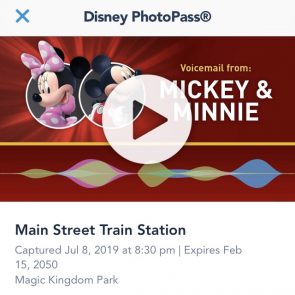
Disney uses the same RFID chips to send special videos or voicemails to your My Disney Experience App, just for riding an attraction or visiting certain areas around the Parks.
Newer attractions will send on-ride photos directly to your account, whether or not you have Memory Maker.
Because MagicBands have RFID chips, there is no need to tap your MagicBand to a touchpoint. They will automatically link to your account.
Are MagicBands Worth Getting?
While you can access the same technology on your phone and with Park tickets, MagicBands are far easier to use. I would dare even say that they are a necessity (at least for my vacations).
They can get pricey. But, in terms of making decisions that have a positive impact on your vacation, choosing to use MagicBands does that. Why fumble through your bags when you can have all you need on your wrist?
You don’t HAVE to purchase a MagicBand to have fun in the Parks. But, it sure does make your trip a heck of a lot easier.

Got questions? Feeling a bit anxious? Not sure where to begin? We help families, just like yours.
Planning an entire vacation can be overwhelming. But, here’s the good news: we have the answers to the questions that have been stopping you from pulling the plug on your next vacation.
We understand the journey, the ups, and the downs. We’ve been through the training, made our fair share of mistakes, and learned valuable lessons from them. This is what makes us the perfect people to assist you.
From thoughtfully crafted itineraries to having direct access to your dedicated Travel Professional, our mission is to remove the stress from your vacation planning. With our simple 3-step process, we’re here to help you every step of the way, ensuring that your dream destination becomes an unforgettable reality.
This post features affiliate links. When you make a purchase through these links, we may earn a modest commission. Rest assured, this does not result in any extra cost for you, and we do not gain access to your personal information. These commissions, though small, play a significant role in supporting our business. We genuinely appreciate your support—THANK YOU!





14 Comments
Chelsea Espinoza
January 20, 2020 at 7:53 amWhat a cool tool to have on a Disney trip! I haven’t made it to Disneyworld yet, but this info is good to know for when I do go one day. 😊
Catherine
January 20, 2020 at 10:52 amI’m glad you enjoyed the post! I agree, it’s an amazing tool. It’s nice knowing that everything I need is right there on my wrist.
Everything You Need To Know About The Disney Dining Plan | Disney Solution
February 7, 2020 at 7:30 am[…] you’re ready to eat, you just need to tap your MagicBand and enter your pin. Your Credits will always be updated and printed out on the bottom of your […]
Prepare For Your Vacation With The ShopDisney Friends & Family Sale | Disney Solution
February 13, 2020 at 7:07 pm[…] MagicBands aren’t required at Walt Disney World, they do make your vacation a lot more convenient. They […]
Ways You'll Accidentally Ruin Your Disney Vacation | Explore With Catherine
March 26, 2020 at 8:42 pm[…] your credit card to your MagicBand is so convenient. Why dig through your Park bag for your credit card when you can pay with your […]
Disney Vacation Planning For Beginners - Part 3 | Explore With Catherine
April 20, 2020 at 7:30 pm[…] you are staying at a Disney Resort, once your Package is paid in full, they will ship your MagicBands to you. If you have not yet personalized your colors and given them your address, you should do […]
Walt Disney World Reopening: What To Expect Before Returning | Explore With Catherine
June 22, 2020 at 7:25 am[…] Cashless or contactless forms of payment are recommended. If you’re staying on Walt Disney World property, this includes charging purchases to their Disney Resort hotel folio using your MagicBands. […]
5 Insanely Helpful Items To Bring With You | Explore With Catherine
August 23, 2020 at 7:47 pm[…] me, BitBelts aren’t only helpful, they’re necessities. MagicBands serve many purposes. This is a place your Park Tickets, FastPasses, Disney Dining Plan Credits, […]
New Character MagicBands For Walt Disney World Packages
January 17, 2021 at 9:10 pm[…] MagicBands – What Are They? and other FAQ | Explore With Catherine says: April 30, 2020 at 11:08 pm […]
Disney Easter Basket Ideas: No Candy, Just Magic - Explore With Catherine
March 7, 2024 at 10:39 am[…] vacation than a MagicBand. So, if you’re going on a Disney vacation in the near future, MagicBands make great gifts. As long as you live in the United States, MagicBands are shipped directly to your […]
Mamaadoptation
May 31, 2024 at 6:55 amAll you have to do is press your MagicBand and enter your pin to get started eating. The bottom of your will always include an updated version of your Credits.
Catherine
May 31, 2024 at 8:22 amYes, I love how easy it is! But I’m so happy we can now also track credits on My Disney Experience. My family isn’t always together 100% of the time. So, I think adding it to the app was a great addition.
Everything You Need To Know About The Disney Dining Plan - Explore With Catherine
December 31, 2024 at 12:48 pm[…] your card every time you eat. With the Dining Plan, you “pay” for everything with your MagicBand, so it’s simple, […]
Is The Disney Dining Plan Worth The Cost In 2026? - Explore With Catherine
January 25, 2026 at 5:14 pm[…] young adults eat more, snack more, and often want the freedom to grab food on their own. And with a MagicBand, they can easily charge the room without anyone […]